First steps in Kluboš
How to create an account, join your club and sign in. No technical knowledge needed — an e-mail address and about five minutes.
Fill in the registration form
On the “Join your club” page, click “Join your club”. The Kluboš registration form opens. Work down the form from top to bottom. An asterisk * means the field is required. You do not set a password here — that comes after you confirm your e-mail.
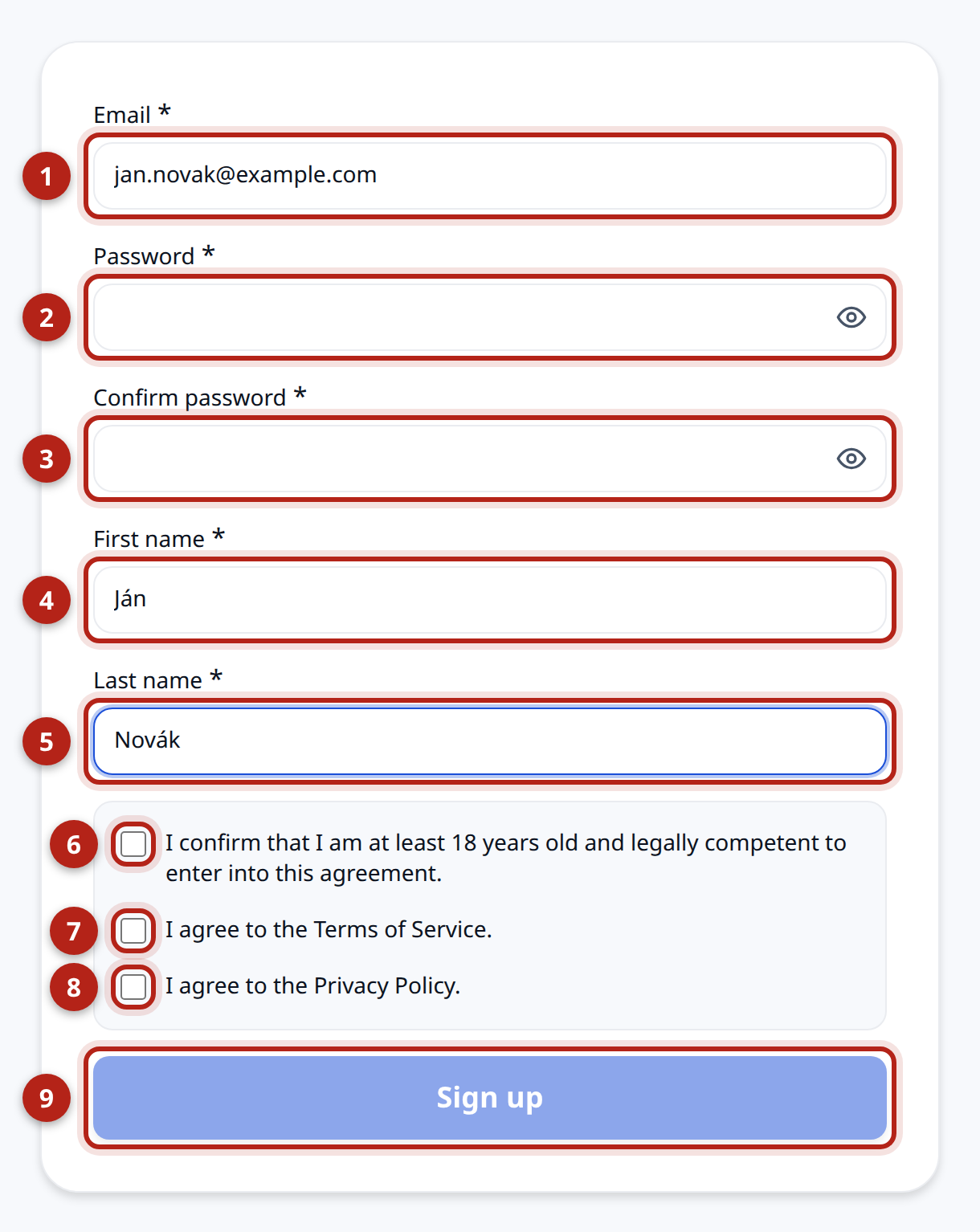 No.FieldWhat to enter1EmailYour e-mail address. Remember it — this is exactly the one you will send to the administrator.2First nameYour first name.3Last nameYour last name.4Age and capacityTick it if you are at least 18 years old.5Terms of serviceTick it if you agree with them. Click the link to read the text.6Privacy policyTick it if you agree with it. Click the link to read the text.7RegisterThe blue button at the end. Click it and Kluboš sends you an e-mail with a confirmation link.Under 18?Your legal guardian creates the account and accepts the invitation.
Confirm your e-mail
Kluboš sends you an e-mail right after registration. It confirms that the address really is yours, and the link also takes you to setting your password.
- Open your mailbox.
- Find the message from Kluboš.
- Click the link in the message.
No e-mail?Check the Spam or Promotions folder. The message sometimes takes a few minutes to arrive.Set your password
The link from the e-mail takes you to a page where you choose a password for your account.
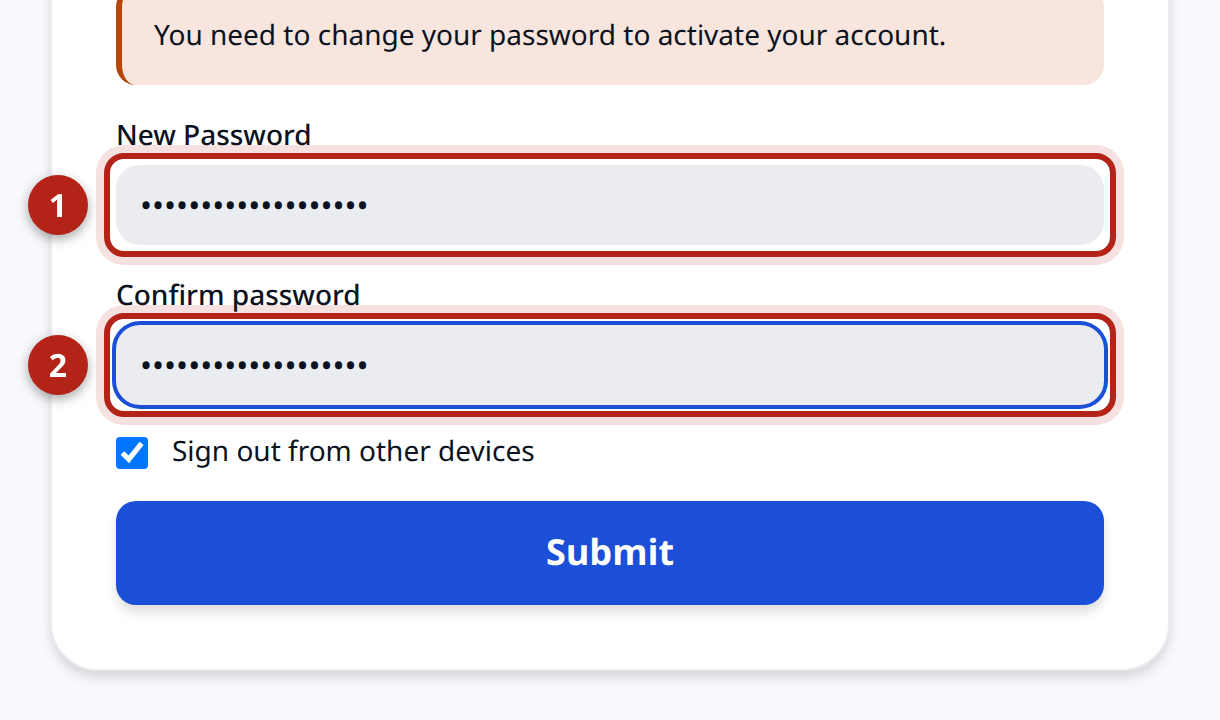 No.FieldWhat to enter1PasswordYour new password. You choose it yourself.2Confirm passwordThe same password once more.What happens after you submitKluboš either signs you in right away or briefly sends you to the sign-in screen — depending on whether you are still in the same browser you registered in. On the sign-in screen, sign in with your e-mail and the new password. Kluboš greets you with “Your password is set.” and opens your pending invitations.
Wait for your invitation
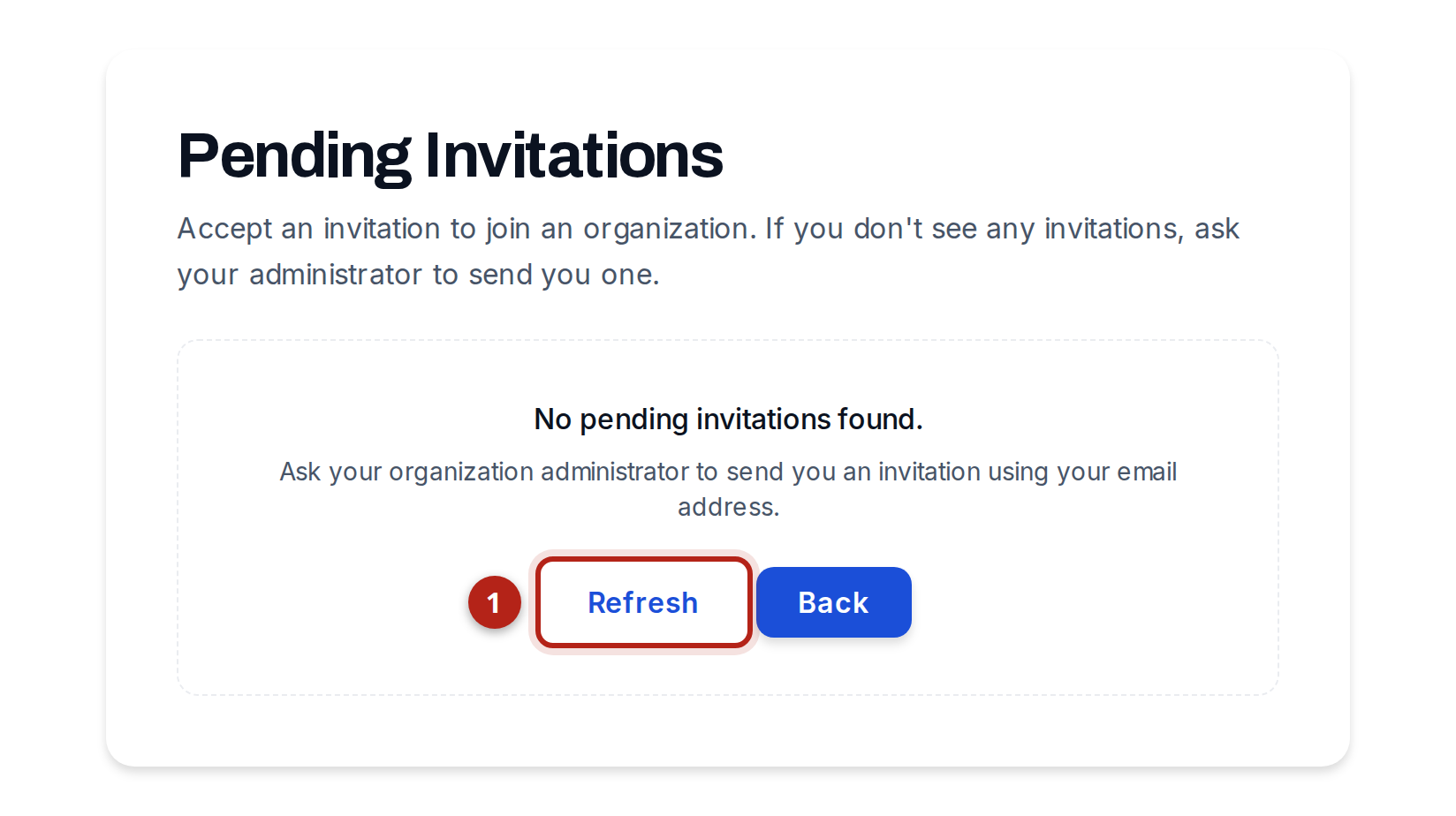
Once your password is set, Kluboš opens the “Pending Invitations” screen. If nobody has invited you yet it is empty — you have done nothing wrong. The invitation comes from your organization's administrator, the person who runs your club in Kluboš.
- Write to the administrator — by text message, e-mail or in your group chat.
- Send them the e-mail address you registered with.
- Wait for them to add you. It usually takes minutes or hours.
“Hi, I registered in Kluboš with the address jan.novak@example.com. Please send my club invitation to that e-mail. Thanks.”
- 1Refresh— when the administrator tells you the invitation is sent, click here. The invitation appears.
Why it works this wayKluboš sends the invitation to one specific e-mail address. If the administrator types an address that differs by even one letter, the invitation goes elsewhere. So write the address down for them rather than dictating it. You can close this page — you can come back any time by signing in again.Accept the invitation
Once the invitation has been sent, you will see it in the list.
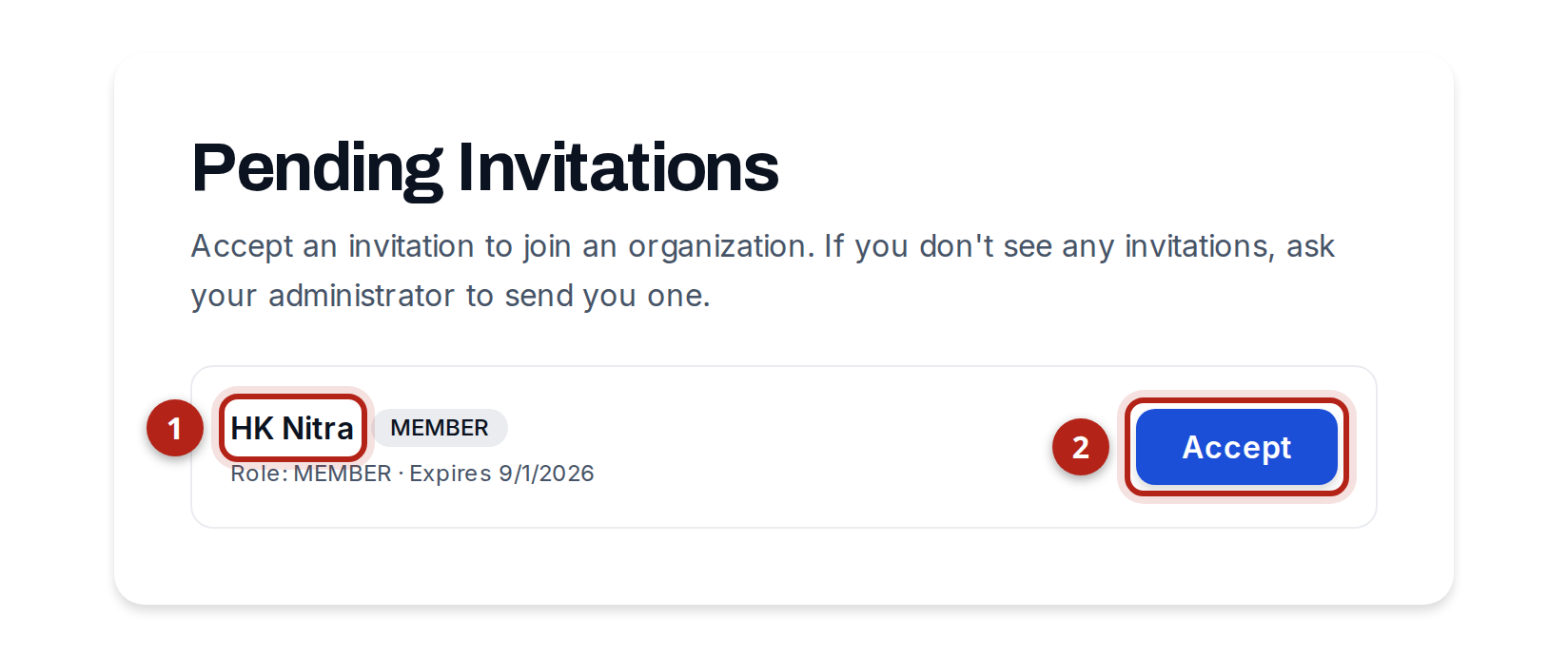
- 1Club name— check that this really is your club.
- 2Accept— click it and you are in the club. Kluboš opens your dashboard right away.
Usually you do not have to click anythingWhen you have a single invitation, Kluboš accepts it for you. You will briefly see “Accepting your invitation…” and then you are in the club. The “Accept” button is there for when you have more than one invitation.Sign in next time
From now on you always get into Kluboš the same way: open klubos.sk and click “Login” in the top right corner.
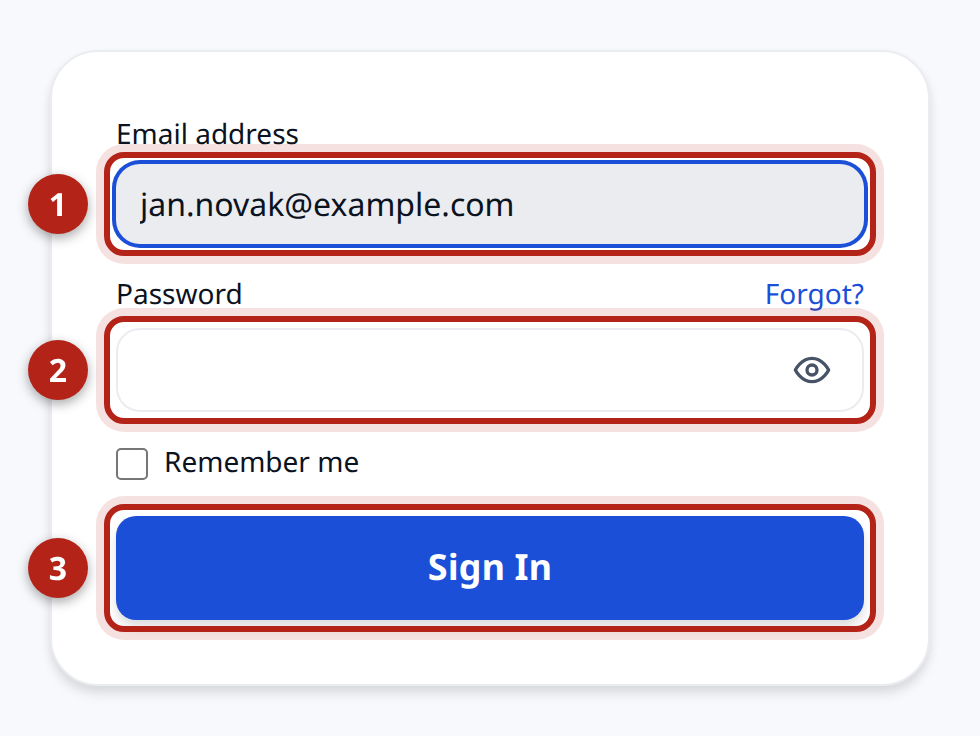
- 1Email address— the e-mail you registered with.
- 2Password— the password you set after confirming your e-mail.
- 3Sign in— click it and you are in.
Forgotten your password?Click “Forgot?” next to the Password field. Kluboš sends you an e-mail with a link to set a new one. If you do not want to sign in on every visit, tick “Remember me”.
When something goes wrong
If you are stuck, write to your organization's administrator. They can see whether the invitation was sent to you, and to which address.